 Search Tips
IPM Resources
On a job you may have a number of different employees and pieces of equipment working on parts of the project. These are all classified as Resources in IPM and you can store details of all your different resources here. The Resources added here can then be used to add timesheet entries and job progress in other parts of IPM, and you can also organise these resources through the Resource Groups section (see Chapter 7, 11.0)
To Add a New IPM Resource
- In the drop down navigation menu, click on IPM Reference Data > IPM Resources
- Click on New IPM Resource in the top menu to bring up the New Resource form
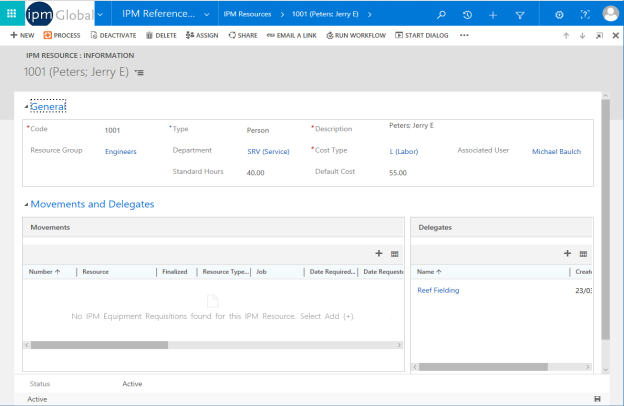
- Enter a unique Code for the Resource
- Enter a Description of the Resource
- Select the Type of Resource from the drop down menu
Note: You can enter the type of Resource as either Equipment, Person or Material. Resources entered as Materials here can now also be added in Timesheet entries to track the cost of material deliveries to site
- If applicable, enter a Resource Group by clicking on
 in the Resource Group field and selecting from the list
 - If applicable, enter a Department by clicking on in the Department field and selecting from the list
- Enter a Cost Type by clicking on in the Cost Type field and selecting from the list
- If applicable, enter a Default Cost
- Click Save and Close if this is the only Resource to add, or Save and New if you wish to add more
- The Resource will now appear in your Reference Data list of IPM Resources